SteveW
Member
Registered: 15th Jul 02
Location: Up in the clouds
User status: Offline
|
fotki accounts ?
im trying to save a few pics from Icy's fotki account onto my computer in a folder..
but it always comes up with "no preview available"
there are only 2 save options..
save as a .art file or a .bmp file
please help 
|
Matt H
Member
Registered: 11th Sep 01
Location: South Yorkshire
User status: Offline
|
link?
|
SteveW
Member
Registered: 15th Jul 02
Location: Up in the clouds
User status: Offline
|
http://public.fotki.com/Icy/shows/2004/trax2004_-_the_show/page5.html
|
Ally
Member
Registered: 2nd Jul 03
Location: Pontypool Drives: a Skoda
User status: Offline
|
right click save target as?
|
SteveW
Member
Registered: 15th Jul 02
Location: Up in the clouds
User status: Offline
|
nope dont work me dear
|
Corsa E-Tec
Member
Registered: 4th Feb 04
Location: Stevenage Drives: Leon Cupra
User status: Offline
|
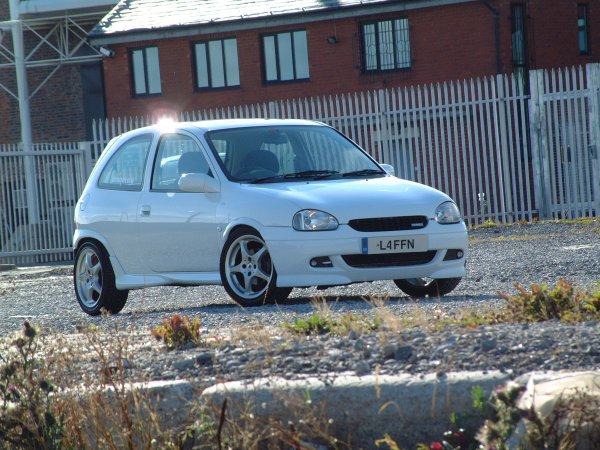
My Car

[Edited on 26-06-2005 by Corsa E-Tec]
|
Carr
Member
Registered: 1st Oct 04
Location: Leicestershire (Home) Ambleside, Lakes (Uni)
User status: Offline
|
quote:
Originally posted by Ally
right click save target as?
 
|
Corsa E-Tec
Member
Registered: 4th Feb 04
Location: Stevenage Drives: Leon Cupra
User status: Offline
|
open image and right mouse click and save picture as.
|
liamC
Member
Registered: 28th Feb 04
User status: Offline
|
quote:
Originally posted by SteveW
fotki accounts ?
im trying to save a few pics from Icy's fotki account onto my computer in a folder..
but it always comes up with "no preview available"
there are only 2 save options..
save as a .art file or a .bmp file
please help
Sounds like your ISP is GAY-OL?
|
SteveW
Member
Registered: 15th Jul 02
Location: Up in the clouds
User status: Offline
|
none of these are working as it only allows you to save the file...
it worked on one file.. as it said save as .jpg file..
normally its just bitmap and art.. neither of those are supported on my PC
|
SteveW
Member
Registered: 15th Jul 02
Location: Up in the clouds
User status: Offline
|
yeah im on the horror that is AOL 
|
Matt H
Member
Registered: 11th Sep 01
Location: South Yorkshire
User status: Offline
|

PMSL
|
Carr
Member
Registered: 1st Oct 04
Location: Leicestershire (Home) Ambleside, Lakes (Uni)
User status: Offline
|
Can't you print screen it then open it in paint or word or save bmp and open it in paint then save as jpeg
|
SteveW
Member
Registered: 15th Jul 02
Location: Up in the clouds
User status: Offline
|
well i found some other pic of my car from visionstyling website and they saved fine...
but would have liked some better shots of it 
|
Matt H
Member
Registered: 11th Sep 01
Location: South Yorkshire
User status: Offline
|
right click> copy> open paint> ctrl+v> save as> change it to j-peg
|
Jules
Member
Registered: 26th Nov 04
Location: Ipswich, Suffolk Status: Happy
User status: Offline
|
If it will only save as a BMP and not aJPEG then you need to empty you internet cache.
|
Gaz
Member
Registered: 24th Aug 03
Location: Widnes, Cheshire
User status: Offline
|
if u have fireworks or paintshop pro print screen cut to size and save as jpeg 
|
Ian
Site Administrator
 Registered: 28th Aug 99
Location: Liverpool
User status: Offline
|
Sometimes it'll only do BMP if your temporary internet files is full.
|
SteveW
Member
Registered: 15th Jul 02
Location: Up in the clouds
User status: Offline
|
cheers guys.. i will delete all my temp internet file when ig et home today
thankyou
|